Relaxed
Neighbor snap plus slot snap when a group is close to the correct spot. Optional ghost image on the board, adjustable opacity, and a reference thumbnail in the header — forgiving, not childish.
Open it, place pieces, nothing else. Beautiful picture puzzles with large, readable pieces — a separate tray you can scroll and filter, generous snap, hints and preview when you want them, and automatic saving. No ads. No subscriptions. Works offline.
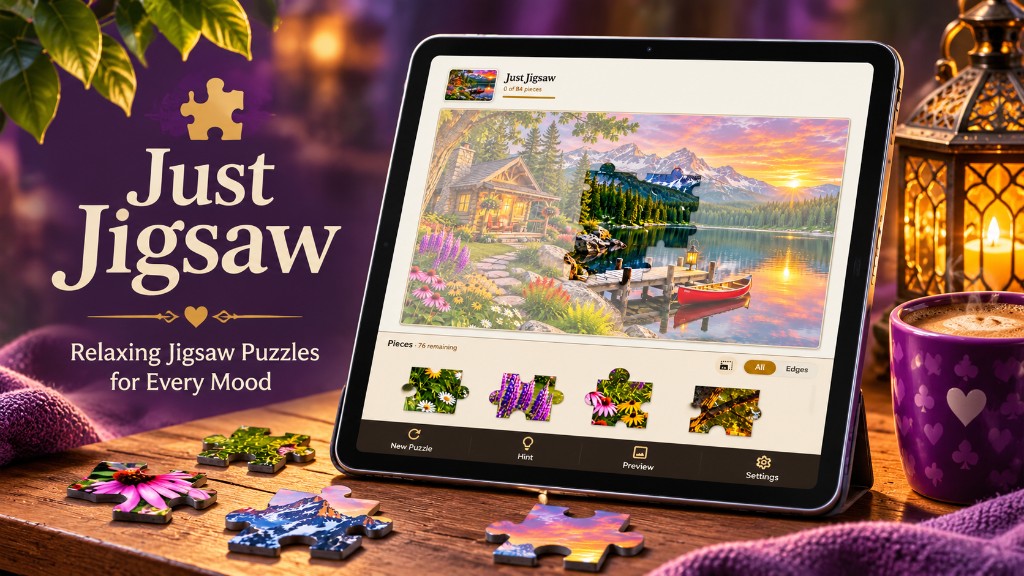

Most jigsaw apps shrink hundreds of tiny pieces onto a phone until matching becomes a vision test — then charge you for edge sorting, a reference photo, or extra undos. Just Jigsaw is built for comfort, clarity, and trust.
Open the app and continue your saved puzzle, or start a new one right away — no home screen full of buttons. No accounts, no internet required for bundled images, no timers or streaks. The board and tray fill the screen; menus stay out of the way.
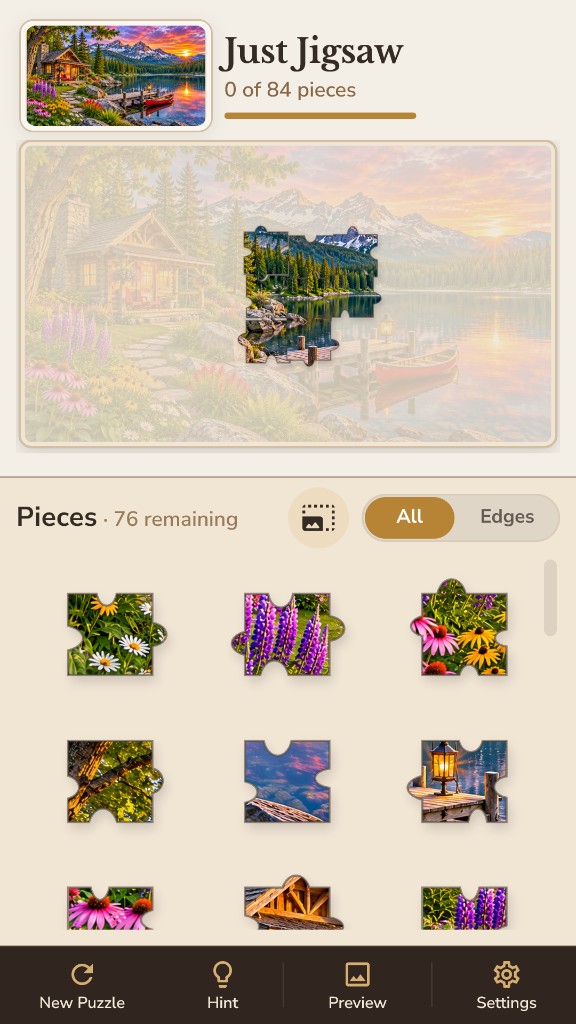
On a phone, fewer larger pieces beat a 400-piece board that fits but cannot be read. Pan and zoom the workspace, pick up from a dedicated tray, and merge matching neighbors into groups that move together.
Filter the tray to All or Edges, adjust tray piece size independently of board zoom, and track progress with a simple “pieces placed” bar — every tap is about the puzzle, not the software.
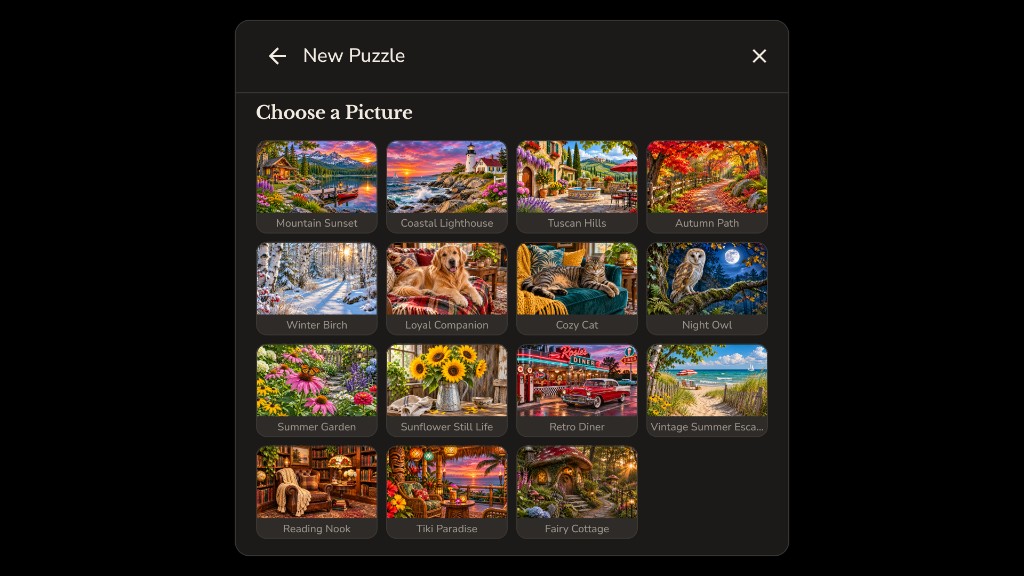
Start a new puzzle with a gentle wizard: choose a collection when you have more than one, pick a thumbnail, set options, and play. Scenic photography and cozy scenes — nature, travel, animals, seasons, and more.
Tablets get room for larger boards and more pieces; phones get comfortable defaults. The app can suggest a difficulty for your screen size — you can always pick your own.
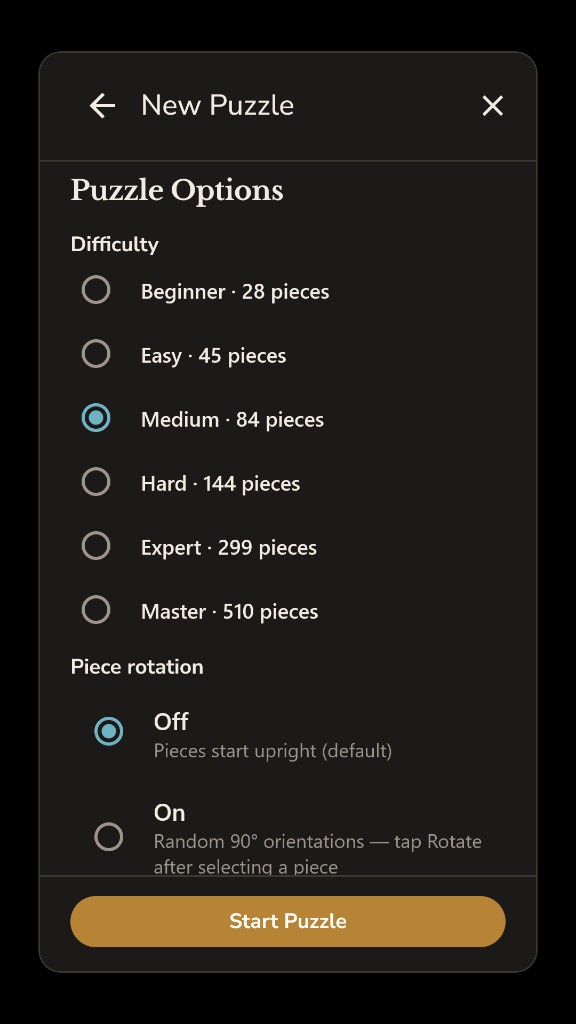
Beginner through Master — from about 28 pieces up to 500 — so you choose how challenging the puzzle is. Optional piece rotation deals random 90° orientations when you want more challenge; leave it off for straightforward picking and placing.
New Puzzle remembers your last image and options. Continue restores exactly where you left off — positions, tray, and zoom.
Two ways to enjoy the same calm app — switch anytime in Settings.
Neighbor snap plus slot snap when a group is close to the correct spot. Optional ghost image on the board, adjustable opacity, and a reference thumbnail in the header — forgiving, not childish.
Free assembly on a larger workspace below the image mat — movable groups and neighbor snap only. Use Preview or the header thumbnail when you want to see the full picture.
Assistance and comfort stay free — Pro is for more pictures and larger libraries, not for undoing a crippled trial.
Hints highlight a helpful piece; Preview shows the full image and dismisses with a tap. Edge filter in the tray keeps border pieces easy to find.
Close the app and return later — piece positions, groups, tray, and board zoom restore automatically on Continue.
High contrast, reduced motion, soft sounds, strong snap assist, and surface themes — comfort options are never paywalled.
One-time unlock for the full photo library, extra collections, and larger piece counts — not for hints, preview, edge filter, or accessibility.
Bundled images play without internet. Optional downloadable collections add variety when you are ready.
Quiet completion — Play Again with a fresh cut or Change Puzzle. No confetti economy, no ad gates, no nag walls mid-puzzle.

Just Jigsaw respects your time and attention. Free players get real puzzles with full comfort tools — not a three-photo demo. No hint currencies, no daily caps, and no accidental ad taps.
100% offline for bundled play. No account required. Just pictures and pieces.
No ads. No subscriptions. Large pieces. Relaxing jigsaw puzzles on Windows, Android, and iOS.
Privacy Policy · Questions? support@mlpsoftwarellc.com